MULTILINGUAL INVOICING

Work in your language. Invoice in English.

Understand every step. Enter details with confidence. Send a clear English invoice.
First 10 invoices freeNo card neededMobile friendly
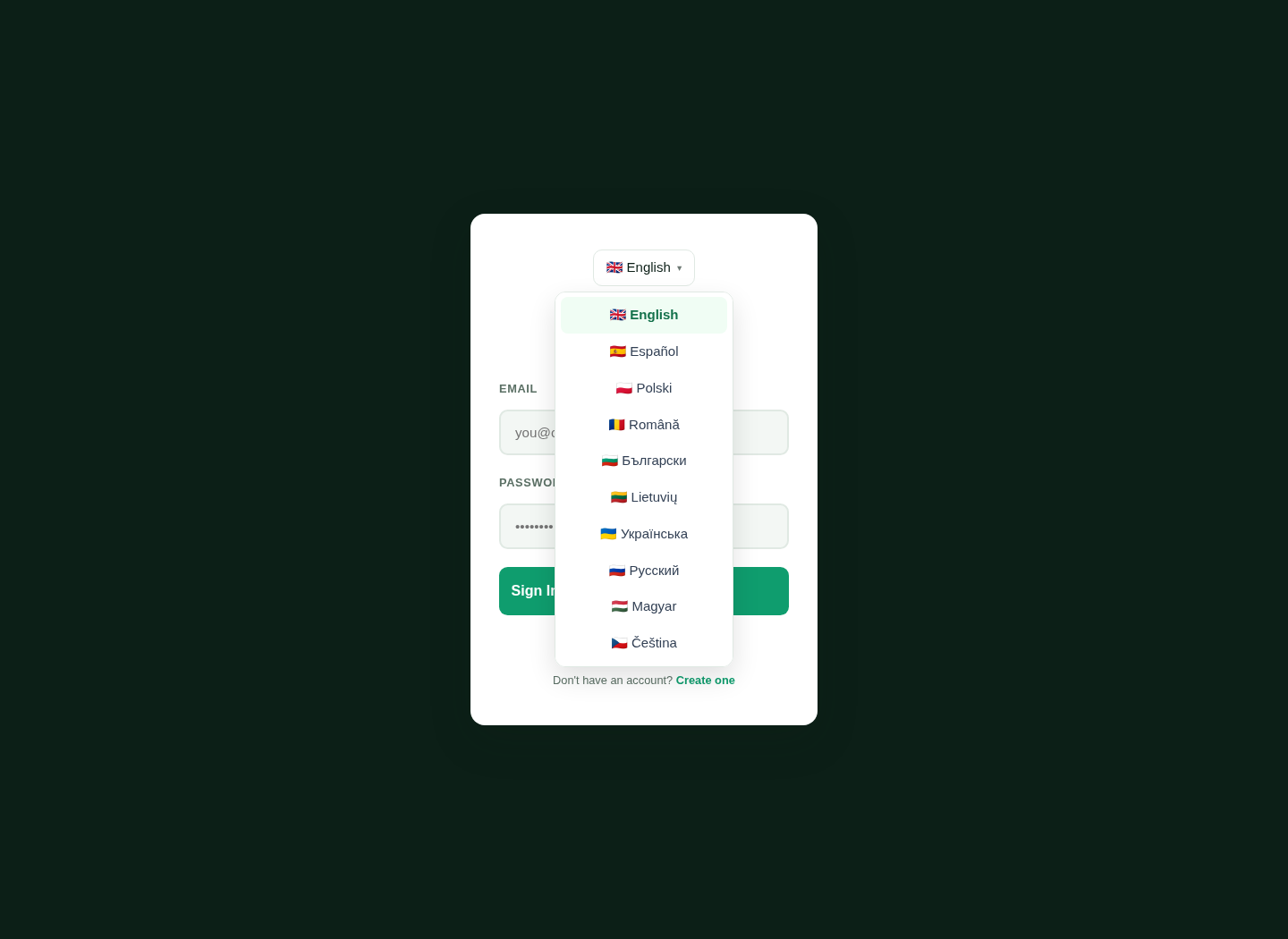
LingvaBill sign-in screen with the language list open
Real interface capture.
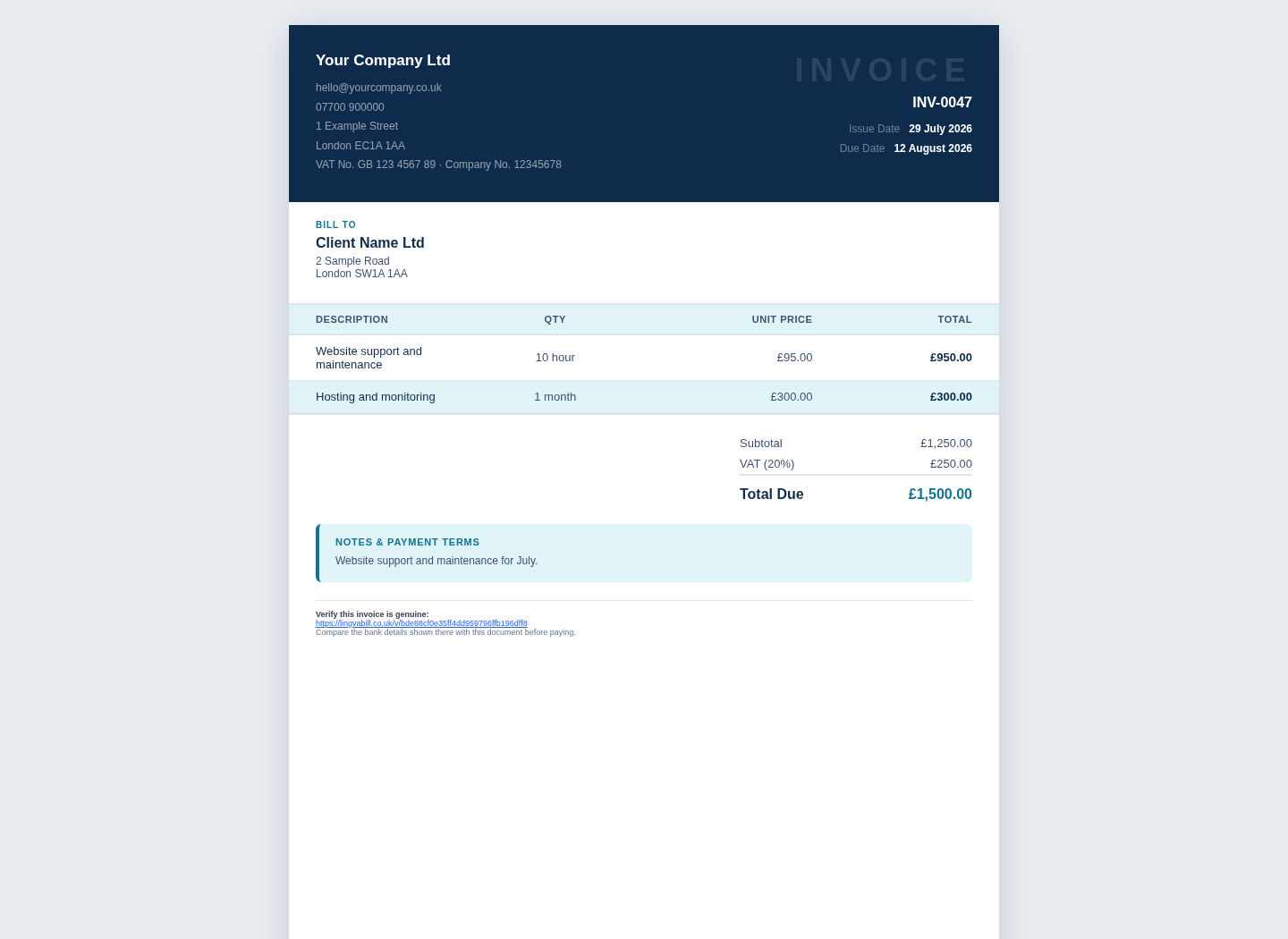
LingvaBill invoice showing Your Company Ltd and Client Name Ltd
Real invoice capture.
18 interface languages
UK invoice tools
Phone, tablet and desktop
Real product visuals

Use a clear interface

Menus, labels and help text are available in 18 interface languages.

1

Choose your language

Select the language that is easiest for your daily work.

2

Use the same tools

The main invoice tools stay in the same place in every language.

3

Change language when needed

Switch language without creating a new account.

Create professional English output

Your customer receives a clear English sales document.

1

Consistent labels

Invoice headings and standard labels are shown in English.

2

Business details stay accurate

Names, addresses and legal details remain as you enter them.

3

Clear totals

Prices, tax, deductions and the final amount are easy to see.

Use UK invoice options

Work with common UK terms without learning every English accounting word first.

1

VAT and CIS

Use the tax options that match your work.

2

Payment terms

Set a due date and add payment information.

3

Invoice numbering

Use a clear sequence for your invoice records.

Questions and answers

Short answers in simple English.

Which interface languages are available?
LingvaBill includes 18 ready interface languages.
Will my customer receive a translated invoice?
The standard customer invoice output is in professional English.
Are business names translated?
No. Business names, personal names and addresses stay as you enter them.
Can I change the interface language later?
Yes. You can change it when needed.

Create an English invoice in your language.

Start with 10 free invoices. No card is needed.