VAT INVOICING
Create clear UK VAT invoices.
Add your VAT details. Choose the rate. Check the totals before you send.
First 10 invoices freeNo card neededMobile friendly
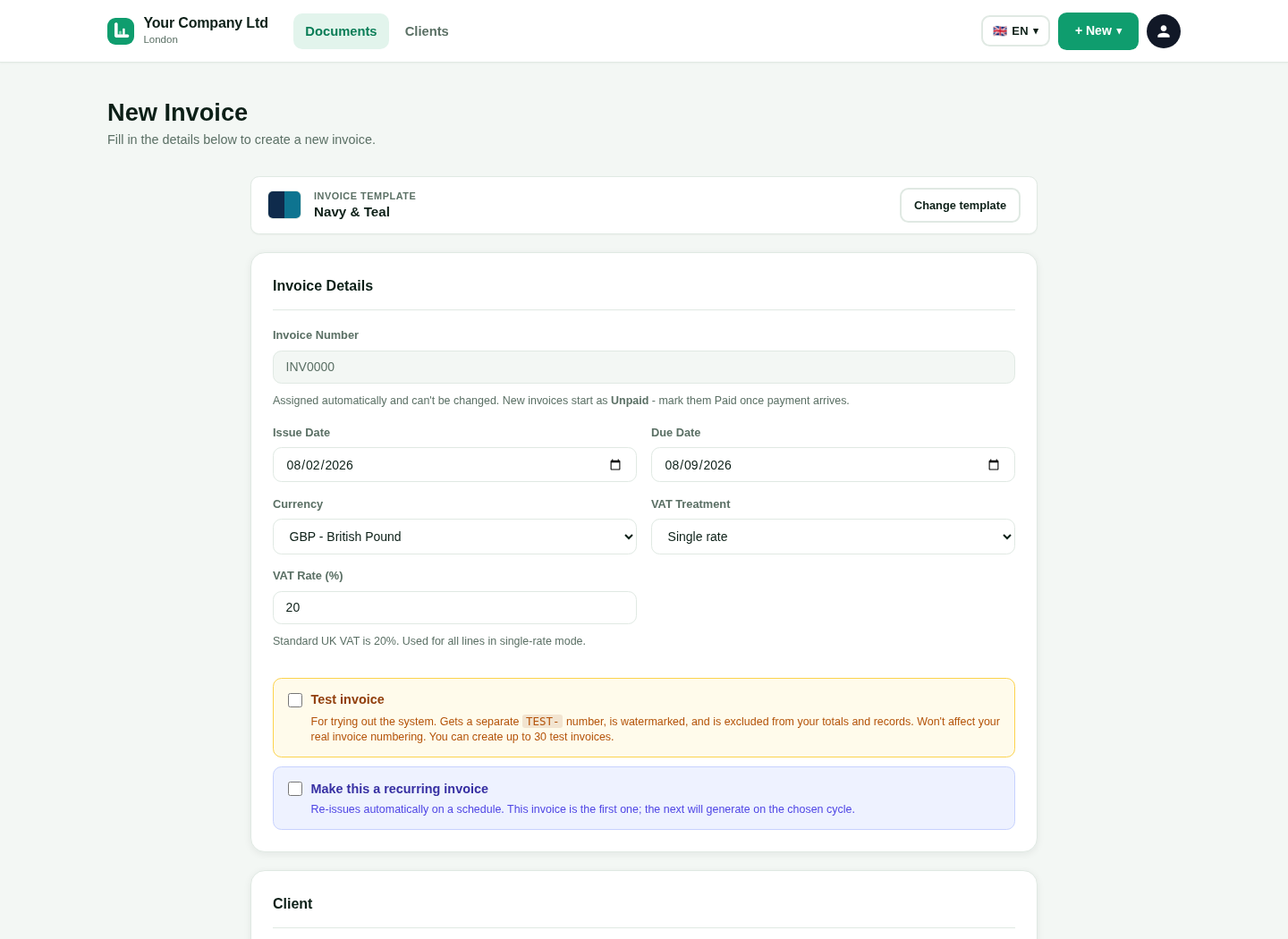 Actual product screen.
18 interface languages
UK invoice tools
Phone, tablet and desktop
Real product visuals
Save your VAT details
Keep the VAT information used across your documents.
1
VAT registration number
Add the number to your business settings.
2
Business identity
Show the registered business name and address.
3
Default treatment
Choose a default when it suits your normal work.
See the real LingvaBill workflow
This is a genuine capture from the platform. It uses the approved fictional seller and customer details.
- Your Company Ltd
- Client Name Ltd
- Invoice INV-0047
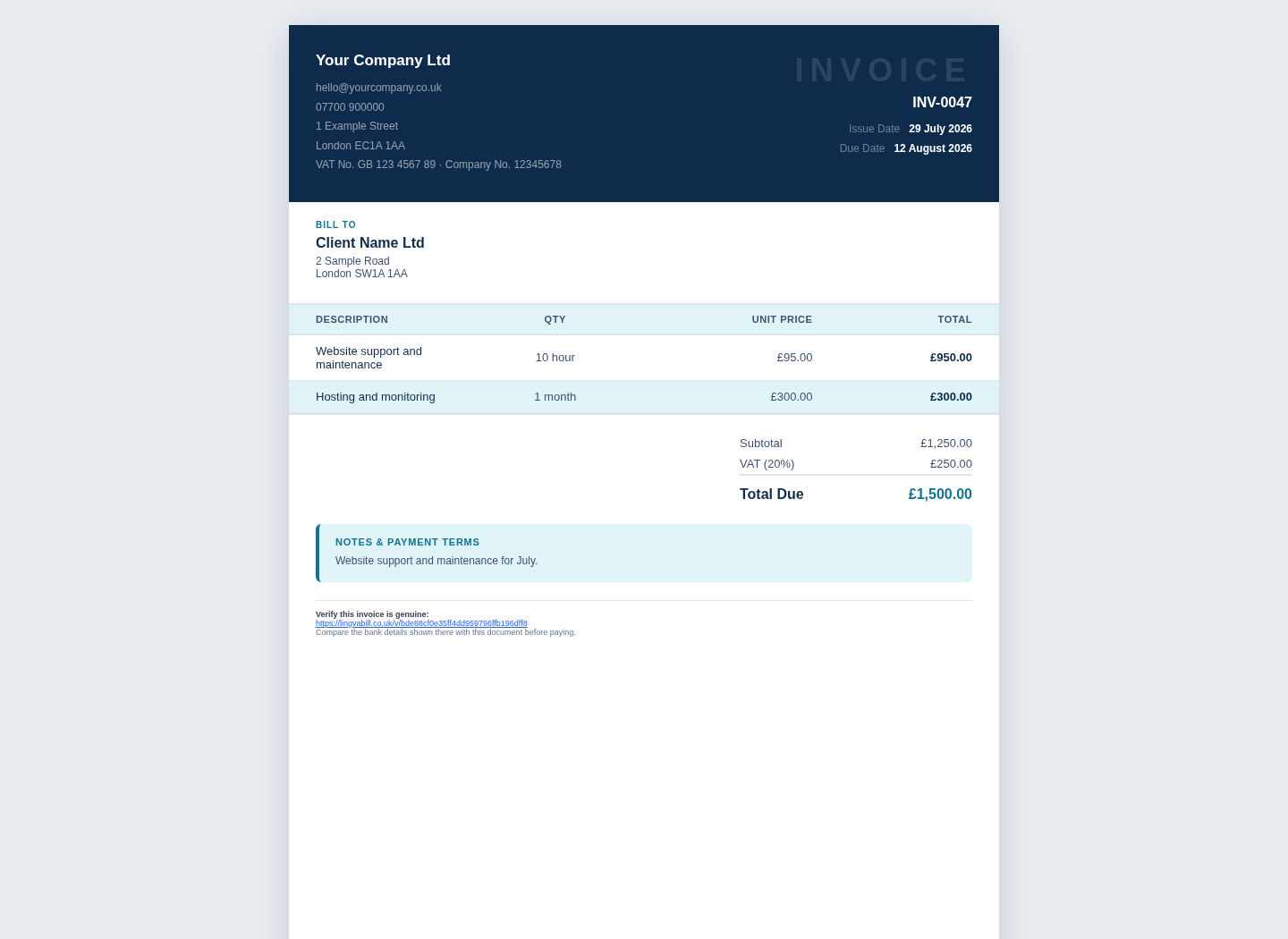 Actual platform capture with demo data.
Set VAT on the invoice
Choose the treatment and rates that apply to the sale.
1
Net value
Show the amount before VAT.
2
VAT rate
Apply a supported rate to the relevant item.
3
VAT amount
Calculate the VAT from the item values.
4
Gross total
Show the final amount the customer should pay.
Give the customer a clear document
Make the tax calculation easy to review.
1
Item lines
Show the description, quantity, unit price and line total.
2
VAT breakdown
Show the VAT amount separately from the subtotal.
3
Dates and number
Include the invoice number, invoice date and due date.
4
PDF or invoice link
Send the document in the format that suits the customer.
LingvaBill helps you prepare invoice information. Your business is responsible for choosing the correct VAT treatment.
Questions and answers
Short answers in simple English.
Can I add my VAT registration number?
Yes. Save it in the business settings and show it on VAT invoices.
Can I use different VAT rates?
Use the supported rates that match the items on the invoice.
Does LingvaBill calculate VAT totals?
Yes. It calculates the totals from the values and rates you enter.
Does the software decide which VAT treatment applies?
No. Your business is responsible for choosing the correct treatment.
Create a VAT invoice.
Start with 10 free invoices. No card is needed.
